How to Use COA in the Alliance Games Arcade
Product
December 8, 2025
COA is the native currency of the Alliance Games Arcade. It is used to:
Play additional sessions beyond the free ones
Receive rewards from the Arcade prize pool
This guide explains how to bridge COA tokens between BSC, BASE, and the Alliance Games blockchain using the Chromia Vault.
1. Accessing the Chromia Vault
The Chromia Vault is the central hub for managing token balances across Chromia dapp chains.
Visit: https://vault.chromia.com
Connect the same wallet you use for the Alliance Games Arcade
Your COA balance will appear automatically if you’ve earned tokens from the leaderboard
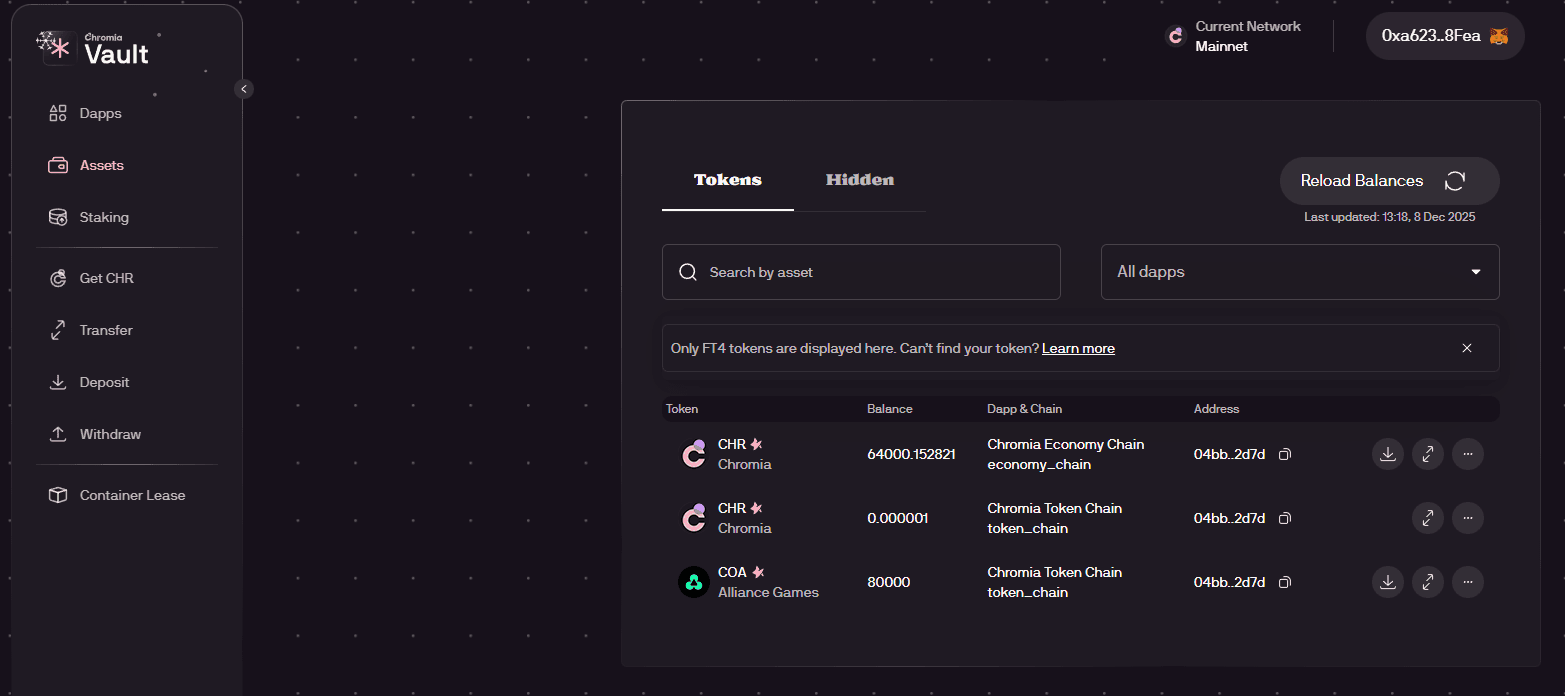
2. Creating a Chromia Token Chain Account
To bridge COA, you must first have an account on the Chromia Token Chain.
Step 1: Deposit CHR to the Economy Chain
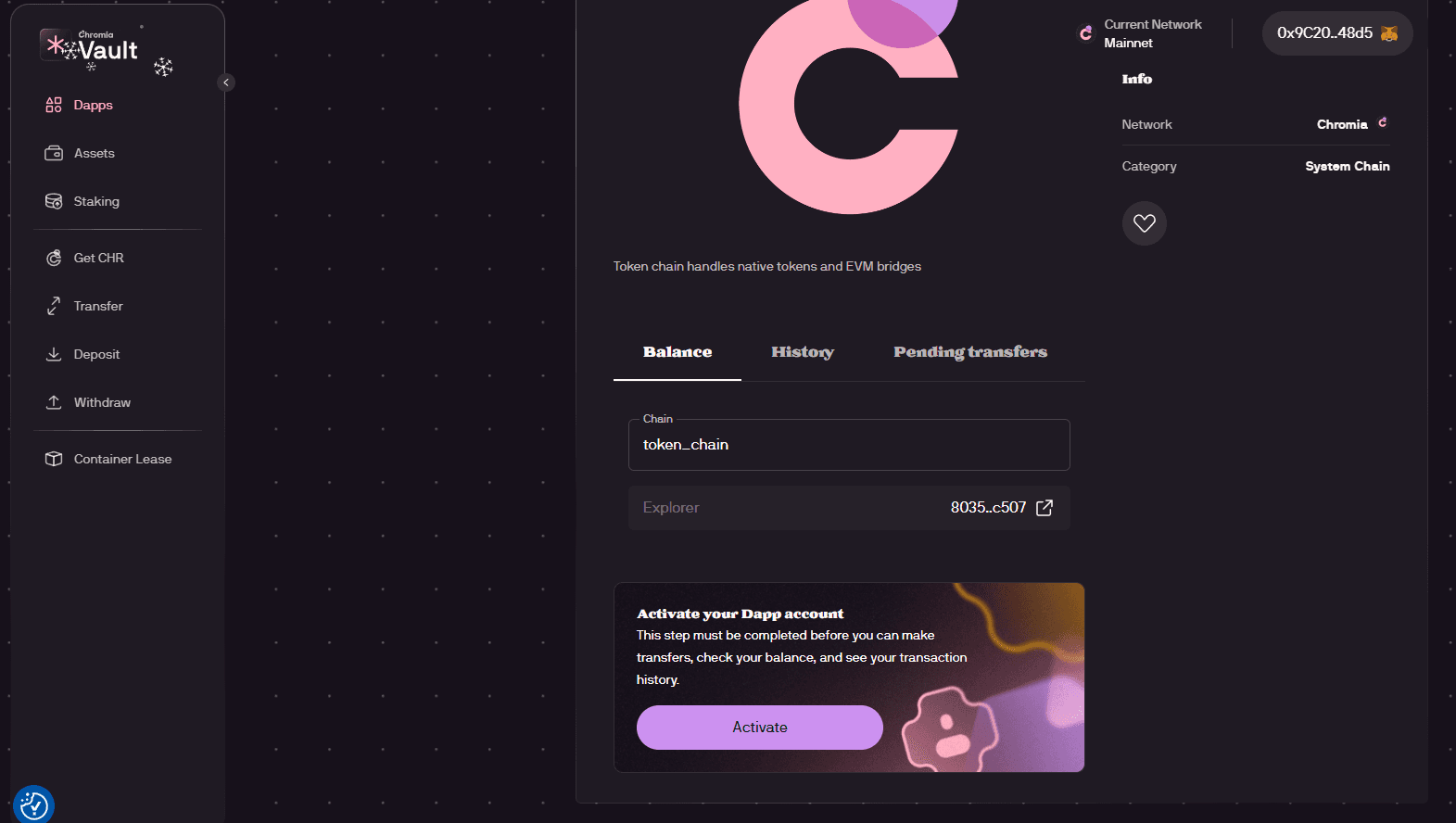
Open the Chromia Token Chain dapp:
https://vault.chromia.com/en/dapps/dapp/?dapp=1807-Chromia+Token+ChainClick Activate
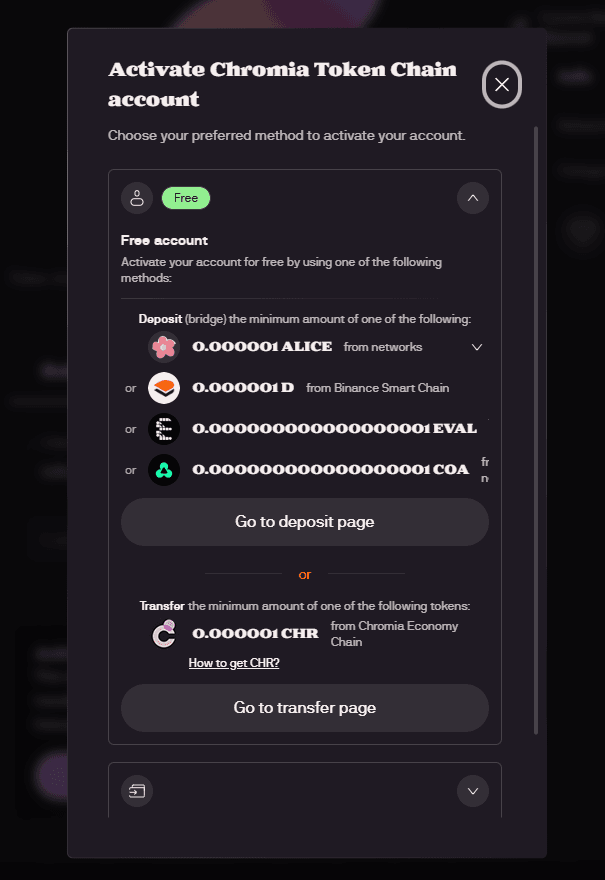
Click Go to deposit page
Deposit COA tokens from any supported network into the Chromia Token Chain
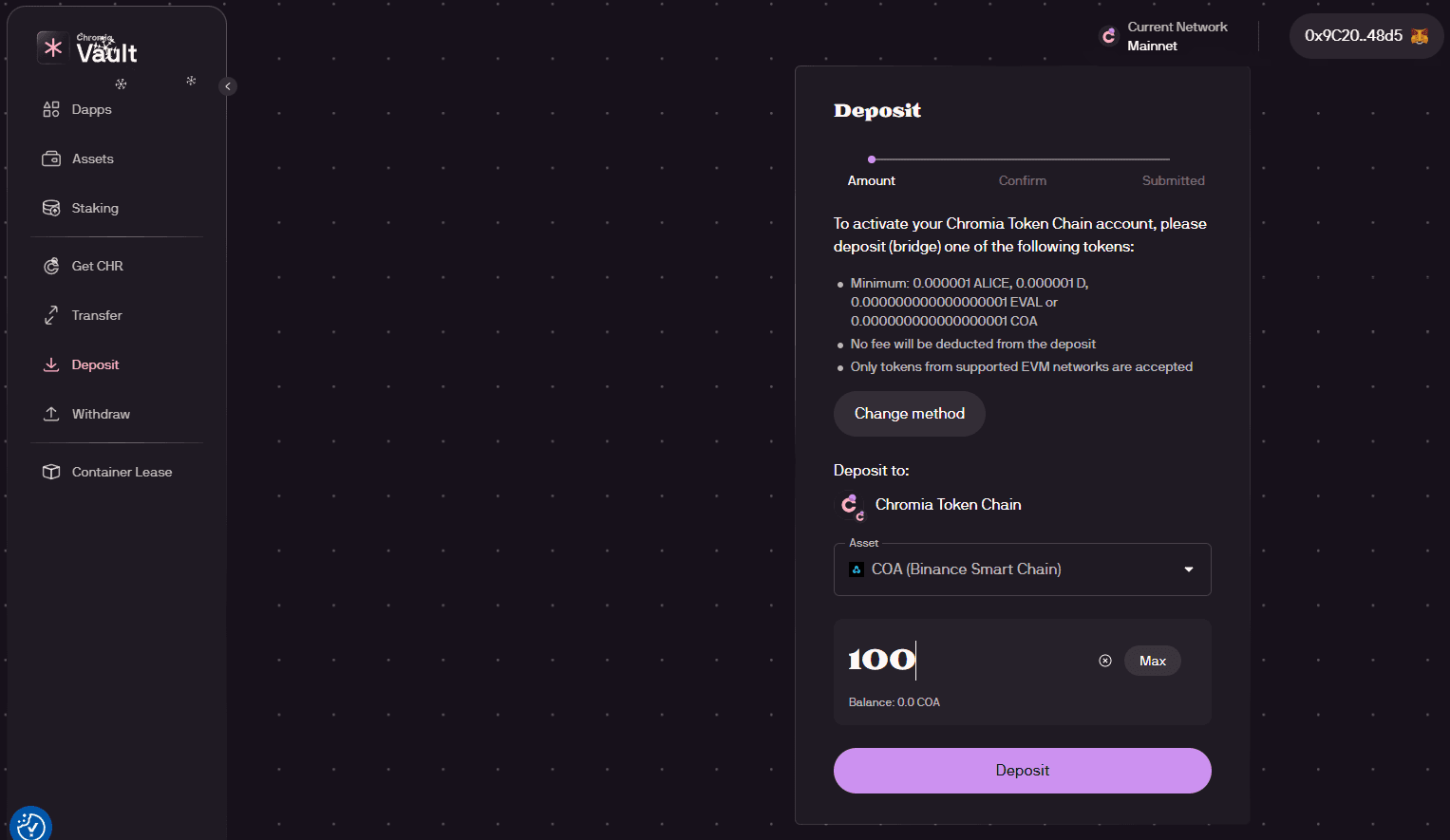
This creates your Token Chain account, which is required for transferring COA to and from the Arcade.
3. Bridging COA Tokens
Once your Token Chain account is ready, you can now:
Deposit COA from BSC or BASE
Withdraw COA back to BSC or BASE
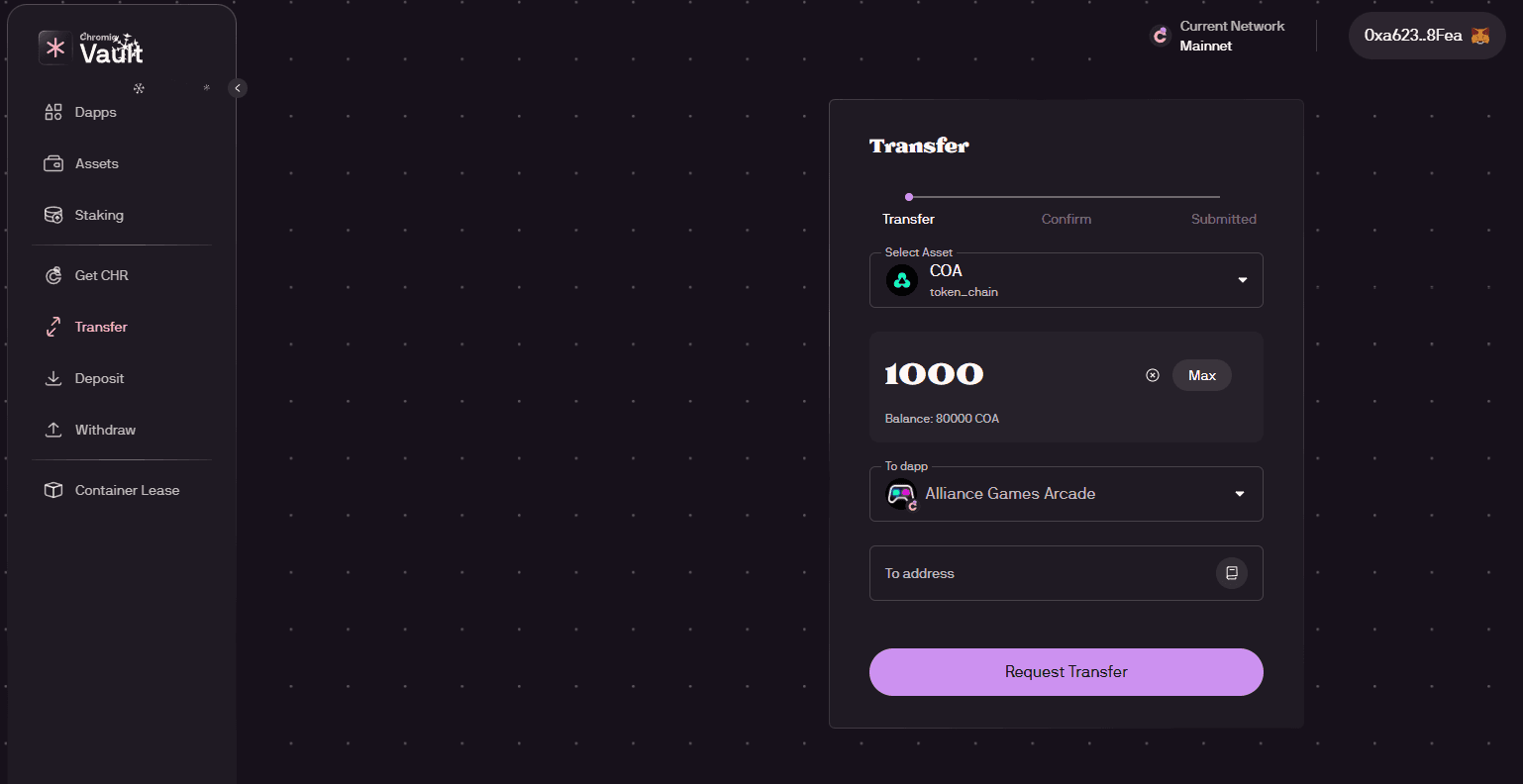
Transfer COA to and from the Alliance Games Arcade dapp
⚠️ Important:
When transferring COA to play in the Arcade, make sure you send it to the Alliance Games Arcade chain, not the Hub.
Summary
Connect your wallet to the Chromia Vault
Deposit 10+ CHR to the Economy Chain
Transfer CHR to the Token Chain
Bridge COA between BSC/BASE and the Arcade
Always send COA to the Arcade chain, not the Hub